Kubernetes production readiness checklist
Build confidence before your application goes live on Kubernetes.
Use this checklist to review the decisions that matter before production, from application shutdown and health checks to scaling, security, observability, rollback, and runbooks.
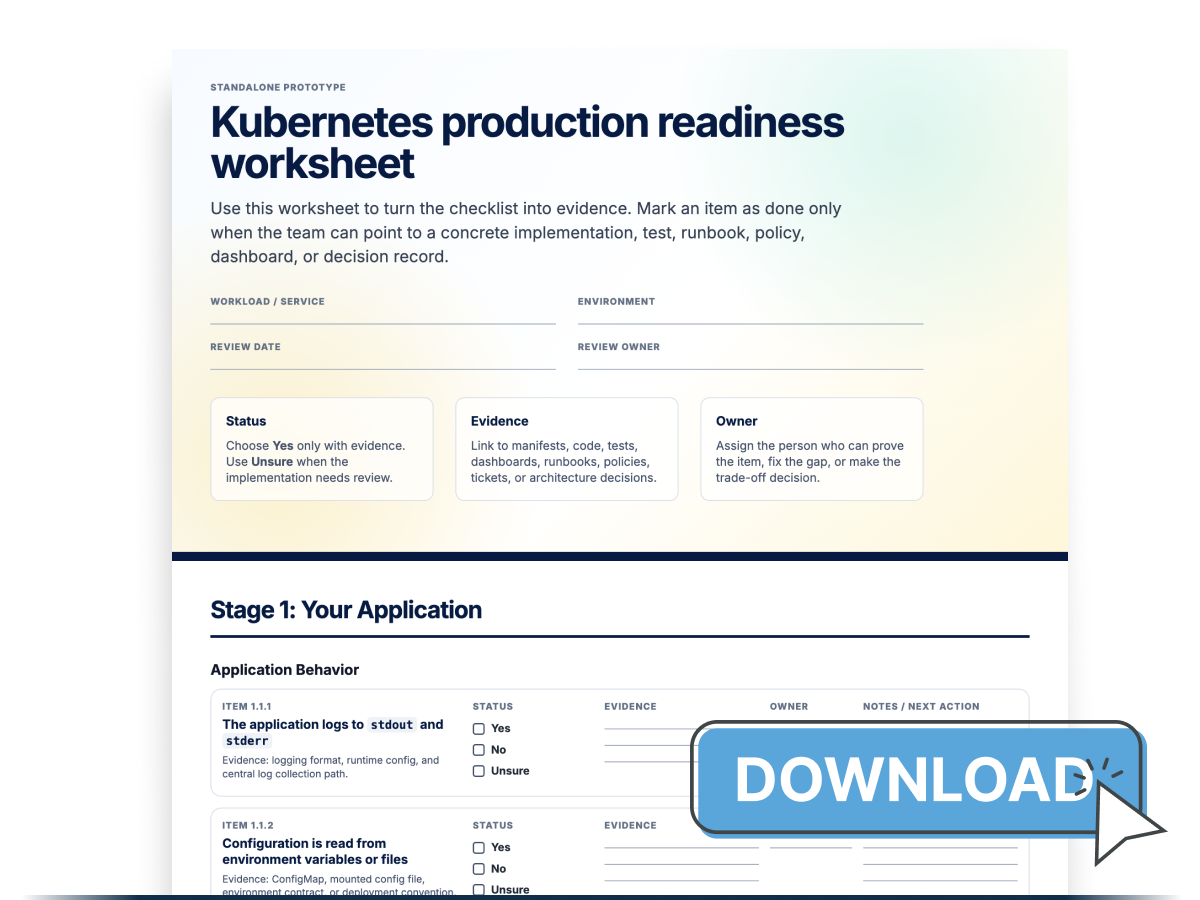
If your team is preparing a production launch, migration, or internal platform review, a LearnKube instructor can walk through this checklist with your engineers.
Last updated on May 6, 2026, also available on GitHub.
1. Your application
Application behavior
These checks cover the runtime contract your application must satisfy inside a container: logging, configuration, shutdown, health signals, local state, and connection handling.
If these behaviours are wrong, Kubernetes can still start the Pod, but updates, replacements, and scaling events will be fragile.
The application logs to
stdoutandstderrThere are two main ways to handle logging: passive and active.
In passive logging, the application writes logs to
stdoutandstderr.The application doesn’t need to know where logs are stored, how they’re processed, or which system collects them.
Kubernetes reads container logs and displays them using built-in tools such as
kubectl logs.In this setup, your app only needs to produce logs and the platform handles collecting and delivering them.
As long as your application writes to standard output, the logs can be:
- collected by node-level agents
- enriched with metadata such as pod name and namespace
- correlated with metrics and traces
- forwarded to any logging backend
Your app does not need to change if the logging system changes.
This approach also follows the twelve-factor app principle, treating logs as continuous event streams instead of files.
kubectl logsis useful for debugging but not for long-term log storage.In production, ensure logs are collected and stored in a cluster-level logging system managed by the platform.
Active logging works differently.
In this model, the application sends logs directly to external systems such as Elasticsearch or third-party services.
This also creates more chances for problems: if the logging system stops working, it could affect your app as well.
Because of this, active logging is usually harder to move between systems and should be avoided unless you have a good reason to use it.
Make sure your logs are structured.
This means you should write logs in a clear, consistent format that computers can easily read, rather than plain text.
For example, instead of writing:
User login failed for id 42You write:
{ "event": "login_failed", "user_id": 42 }Structured logs are easier to search, filter, and analyze.
They’re also easier to connect with metrics and traces.
For errors, Kubernetes also supports termination messages, which let you save a short final error summary along with the regular logs.
Configuration is read from environment variables or files
Keep settings separate from your app’s code.
This lets you change the configuration without rebuilding the app image.
The same app can run in different environments with different settings.
Kubernetes is designed for this model through the
ConfigMapAPI, which lets Pods consume non-confidential configuration as environment variables, command-line arguments, or files in a volume.Think of a
ConfigMapas the source of non-sensitive configuration.Environment variables and mounted files are the delivery mechanisms.
The first common delivery mechanism is environment variables.
This method is simple and works well for small values like flags, hostnames, ports, and feature switches.
A
ConfigMapcan populate one variable at a time withconfigMapKeyRef, or many variables at once withenvFrom.For example, one key can become one environment variable:
env:
  - name: FEATURE_FLAG
    valueFrom:
      configMapKeyRef:
        name: app-config
        key: featureFlag
Or every key in the
ConfigMapcan become an environment variable:envFrom: - configMapRef: name: app-configThe second common delivery mechanism is mounted files.
This is usually better if your app already reads a file format, such as YAML, JSON, TOML, or properties. A
ConfigMapmounted as a volume exposes each key as a file inside the container.For example:
volumeMounts:
  - name: config
    mountPath: /etc/my-app
    readOnly: true
volumes:
  - name: config
    configMap:
      name: app-config
Only keep non-sensitive settings in a
ConfigMap.Use environment variables for simple scalar values.
Use mounted files when the app expects a config file, when the value is structured, or when you want the app to reload file-based configuration.
If configuration should not change after creation, Kubernetes also supports immutable ConfigMaps.
For sensitive configuration, Kubernetes also provides the Secret object, which can be consumed through environment variables or volume mounts in a similar way.
Do not treat
ConfigMapas general-purpose file storage.Kubernetes stores objects through the API server and etcd, and a single object such as a
ConfigMaporSecretis limited to 1 MiB when serialized.If your configuration is getting close to that size, it probably belongs somewhere else.
See why etcd breaks at scale in Kubernetes for the reasoning behind those limits.
The application handles SIGTERM and shuts down gracefully
When a Pod is terminated, your application should shut down gracefully rather than exit abruptly.
Kubernetes starts stopping a Pod by sending a stop signal to the main process in the container and then waits for the set
terminationGracePeriodSecondsbefore forcefully stopping any remaining processes.Your app should handle
SIGTERMproperly.After receiving
SIGTERM, your app should stop accepting new requests, finish any ongoing work, properly close long-lasting or keep-alive connections, and exit before the grace period ends.This matters because traffic might still reach the Pod briefly while Kubernetes is shutting it down.
Kubernetes tracks terminating backends through
EndpointSliceconditions such asready,serving, andterminating.For some traffic types, Kubernetes can still send traffic to Pods that are stopping to allow smooth connection closing, especially for Services using
externalTrafficPolicy: Local.The right shutdown steps are:
- Receive
SIGTERM - Stop accepting new requests
- Continue serving in-flight requests for a short drain period
- Close idle and keep-alive connections cleanly
- Exit before
terminationGracePeriodSecondsexpires
Graceful shutdown only works if the stop signal reaches the app process.
Kubernetes sends the stop signal to PID 1 inside the container.
That’s why the container entrypoint should start the app so signals are passed on correctly.
In Dockerfiles, instead of:
CMD node server.jsWhenever you can, use the exec form of
CMDorENTRYPOINT.CMD ["node", "server.js"]If you use a wrapper script, make sure it passes signals correctly and ends by replacing itself with the app process using
exec.Kubernetes also supports a
preStophook.This can help with small, predictable shutdown actions, but it does not replace proper signal handling in your app.
The
preStophook runs before the TERM signal is sent, and its time counts against the same shutdown grace period.Set
terminationGracePeriodSecondsto give your app enough time to shut down cleanly.- Receive
The application exposes health signals
Kubernetes can’t decide on its own what "healthy" means for your app.
Your app needs to give this information in a way the kubelet can check.
That is why your app should expose health signals, such as a small HTTP endpoint, a TCP listener, a command that can be run inside the container, or, for gRPC services, an implementation of the gRPC Health Checking Protocol.
For most apps, the easiest way is to provide a small HTTP endpoint.
When Kubernetes uses an HTTP probe, it checks the HTTP status code.
Any code from 200 up to, but not including, 400 means success.
The response body doesn't matter, so keep these endpoints simple and focused on returning the correct status.
That is the same pattern Kubernetes uses for its own API server health endpoints, such as
/livezand/readyz, while the older/healthzendpoint has been deprecated since Kubernetes v1.16.For
httpGetprobes, kubelet stops reading the response body after 10 KiB, while probe success is still determined solely by the HTTP status code.The health signal should match the decision Kubernetes needs to make.
- A readiness signal should answer whether this container should receive traffic right now.
- A liveness signal should answer whether the application is stuck and cannot recover on its own.
- A startup signal should answer whether the application has finished initializing.
The application doesn't store state on the local disk
A container has a local disk you can write to, but this storage is only temporary.
When the container stops, is replaced, or the Pod moves, data stored only in the container’s disk is not a reliable place for permanent app data.
Kubernetes calls this
ephemeral local storage.That is why you should not keep app data only on the container’s local disk.
Local storage within the Pod is fine for temporary data such as scratch files, caches, or working data that can be recreated.
Keep permanent data outside the container’s life cycle.
In Kubernetes, that usually means using a
PersistentVolumethrough a volume claim, or using an external managed storage system such as a database or object store.This is especially important if your app runs multiple copies.
If each copy keeps its own local data, it will diverge over time, and behavior will change depending on which Pod handles a request.
If the application is truly stateful and requires stable storage or identity, Kubernetes provides the
StatefulSetcontroller.This rule also applies to connections.
When a Pod is replaced, any open TCP connections it had are also lost.
The application handles long-lived connections correctly
Some app protocols keep connections open for a long time.
This is common with gRPC, WebSockets, HTTP keep-alive, HTTP/2, and database connection pools.
In Kubernetes, a
Servicesends traffic to backend Pods, but a long-lasting connection can stay connected to the same Pod until it closes.This means increasing the number of Pods will not automatically spread out work that is already using existing connections.
Your app should handle long-lived connections directly.
Clients should be able to reconnect easily, and servers should close connections smoothly during shutdown.
This is especially important when a Pod is stopping.
Kubernetes starts removing the stopped Pod from traffic, but closing connections does not happen right away.
Endpoint state is shared through
EndpointSlice, and some traffic can still reach stopping Pods while connections are closing.- Clients should handle disconnects and reconnect safely.
- Servers should support graceful connection draining during shutdown.
- Long-lived requests and streams should be allowed to finish when possible before the process exits.
See long-lived connections in Kubernetes for a full walkthrough.
Container image
These checks cover the image artifact Kubernetes pulls and runs.
The image should be small, predictable, and traceable so production rollouts and rollbacks use exactly the version you intended.
The container image contains only what is needed to run the application
Your container image should include only the files, libraries, and tools needed to run the app in real use.
A smaller image is easier to share and usually has less extra software.
The usual way to do this is with a multi-stage build. Build tools and dependencies stay in earlier stages, and only the final runtime files are copied into the last stage.
The runtime image should not include build tools, package managers, test files, or anything else not needed after the app starts.
Image tags are stable and
:latestis avoidedImage references should always be clear and stable.
Kubernetes recommends not using the
:latesttag in production.Using it makes it harder to know which version is running and harder to go back if needed.
Use a clear version tag: if you need a fixed reference, use the full
sha256digest (for example,myimage@sha256:abc123...).
2. Your Kubernetes manifests
Runtime contract
These checks cover the parts of the manifest Kubernetes needs before it can run the Pod safely: health probes, resource requests and limits, and bounded local disk usage.
They influence scheduling, restart decisions, traffic routing, and node pressure handling.
Readiness, liveness, and startup probes are defined
Probes tell Kubernetes how to check the health signal exposed by the application.
A probe tells Kubernetes what health signal to monitor, how often to check it, and what to do if the check fails.
There are three types of probes, each with its own purpose.
A startup probe checks if the application has finished starting.
This is important for workloads that take a long time to start.
When you set up a startup probe, Kubernetes waits for it to succeed before running liveness or readiness checks.
This prevents the container from being marked unhealthy while it is still starting.
A readiness probe checks if the container should get traffic right now.
If it fails, Kubernetes does not restart the container; instead, it removes the Pod from the Service endpoints.
This makes readiness useful in cases where the app is running but temporarily can’t handle requests, such as during warm-up, a slow dependency, or overload.
A liveness probe checks if the container is stuck and needs Kubernetes to restart it.
This helps in cases like deadlocks, where a process runs but does no useful work.
Be careful with liveness probes: if set too strictly, they might restart containers that could have fixed themselves, worsening the problem.
How you set up the probe is as important as the type you choose.
Settings like
initialDelaySeconds,periodSeconds,timeoutSeconds, andfailureThresholdcontrol when probing starts, how often it runs, how long Kubernetes waits for a response, and how many failures are allowed before it acts.Resource requests and limits are set
Every container should specify the CPU and memory resources it needs.
When a Pod is created, the scheduler uses requests to pick a node with enough free resources to run it.
See setting CPU and memory limits and requests for a deeper walkthrough.
Requests and limits affect different parts of Kubernetes.
Requests are a scheduling input: the scheduler uses them to decide where a Pod can fit before the Pod starts.
It does not use the app’s future real usage, and it does not enforce the request after the Pod is running.
Limits are enforced at runtime by the kubelet, container runtime, and kernel.
A limit sets the maximum amount a container can use while running on a node.
CPU and memory limits work differently: if a container uses too much CPU, it usually just slows down.
But if it goes over the memory limit, the system might kill it.
Because of this, every container should have CPU and memory requests, as well as a memory limit.
Setting CPU limits depends on your workload and cluster setup.
Some details are easy to miss.
If you set a limit but not a request for a resource, Kubernetes might use the limit as the request unless another default is set.
Requests and limits also affect how the Pod behaves when node resources are tight.
Kubernetes assigns each Pod a quality of service class based on the requests and limits set for its containers.
A Pod can be
Guaranteed,Burstable, orBestEffort. These classes influence which Pods kubelet evicts first when a node runs low on resources.For example, a Pod is
Guaranteedonly when every container has both CPU and memory requests and limits set, and the request equals the limit for each resource.QoS is not the same as priority.
PriorityClassis a separate scheduling and eviction signal: the scheduler can preempt lower-priority Pods to make room for a higher-priority Pod, and kubelet also considers priority during eviction.Ephemeral storage usage is bounded
CPU and memory are not the only resources that can strain a node.
Kubernetes also tracks local ephemeral storage, which includes the container writable layer, container logs, and disk-backed
emptyDirvolumes.This matters for apps that write temporary files, cache data, buffer uploads, unpack archives, or create large logs.
If this usage grows too much, kubelet can remove Pods when the node runs low on local storage.
Set
ephemeral-storagerequests and limits for containers that use meaningful local disk space:resources: requests: ephemeral-storage: 1Gi limits: ephemeral-storage: 2GiIf the app needs a writable folder like
/tmp, cache, or upload space, mount anemptyDirthere and setsizeLimitif you know the max size:volumes: - name: tmp emptyDir: sizeLimit: 1GiThis works well with
readOnlyRootFilesystem: true: the image filesystem stays read-only, and only the few paths that need to be writable are clearly defined and limited.
Rollouts and configuration
These checks cover what happens when the workload changes.
A production manifest should make rollouts predictable, tolerate old and new Pods running together, and define how configuration changes reach running Pods.
Rolling update settings are explicit
A Deployment uses a rolling update by default.
Kubernetes creates new Pods, waits for them to become available, and gradually removes old Pods.
The defaults work for simple workloads, but production manifests should clearly set how rollouts happen.
The main fields are:
maxUnavailable: how many replicas can be unavailable during the rollout.maxSurge: how many extra replicas Kubernetes can create above the desired replica count.minReadySeconds: how long a newly created Pod must be ready without any container crashing before the Deployment counts it as available.progressDeadlineSeconds: how long Kubernetes waits before marking the rollout as failed.revisionHistoryLimit: how many old ReplicaSets are kept for rollback.
For example,
maxUnavailable: 0keeps capacity from dropping during a rollout, but requires enough extra capacity for surge Pods.minReadySecondsmakes the Deployment wait until a newly created Pod has been ready without container crashes for a minimum time before counting it as available.It affects rollout progress and old Pod scale-down; it does not delay traffic once the readiness probe passes.
These settings don’t replace readiness probes.
Instead, they rely on readiness probes to signal to Kubernetes when a new Pod can accept traffic.
See the Kubernetes rollback guide for a deeper explanation of how Deployments create ReplicaSets, perform rolling updates, and keep old revisions for rollback.
The workload tolerates old and new Pods running together
During a rolling update, Kubernetes can run both the old and new versions of a workload simultaneously behind the same Service.
If old and new versions don’t work well together, the rollout can fail even if every Pod is healthy.
For example, a new Pod might write data that an old Pod can’t read, or a new API might send requests that the old backend doesn’t understand.
The Kubernetes rule is simple: if you use
RollingUpdate, the workload must handle mixed versions during the rollout.Deployments support two strategy types.
RollingUpdateis the default.Kubernetes creates Pods for the new version while some Pods from the old version are still running.
The Service can send traffic to both versions during the rollout, depending on which Pods are Ready.
strategy: type: RollingUpdate rollingUpdate: maxUnavailable: 0 maxSurge: 1Recreateworks differently.Kubernetes stops the old Pods first, then starts the new Pods.
This avoids mixed versions but usually causes downtime unless another service handles traffic.
strategy:
  type: Recreate
If old and new Pods can’t safely run together, the Deployment strategy should show that.
Recreatecan be safer for workloads that need only one version at a time, but it sacrifices availability to avoid mixed versions, so it should be used with care.ConfigMap and Secret updates have a reload strategy
Kubernetes gives
ConfigMapandSecretdata to containers in different ways, and each method has different update behavior.Environment variables are read when the container starts.
If a
ConfigMaporSecretused this way changes, the running container won’t see the new value: the Pod must be restarted.Mounted volumes work differently.
Kubelet can update
ConfigMapandSecretfiles in a running Pod, but the updates occur with some delay rather than instantly.The delay depends on the kubelet’s sync and cache.
Also, volumes mounted with
subPathdon’t get updates.Choose the behavior you want:
- If the app reads configuration only at startup, changing it should trigger a new rollout. Common Kubernetes approaches to this are using versioned
ConfigMapnames or changing a Pod template annotation so that the Deployment creates a new ReplicaSet. - If the app reloads files while running, mount the configuration as files and make sure the watcher handles Kubernetes volume updates properly.
- If the configuration should never change, use an immutable ConfigMap or immutable Secret and create a new object for each change.
There is a tricky file-watching issue here.
Kubernetes updates projected files using symlinks, so normal file watchers can miss changes.
Ahmet explains this in Pitfalls reloading files from Kubernetes Secret & ConfigMap volumes.
- If the app reads configuration only at startup, changing it should trigger a new rollout. Common Kubernetes approaches to this are using versioned
Placement and disruption
These checks cover how the workload is isolated and where replicas are placed.
They reduce the chance that a privilege mistake, node drain, or zone failure takes down the application.
Non-root, read-only filesystem, and dropped capabilities are configured
Containers should run with the least privileges needed.
These settings are set in the Pod or container security context.
In Kubernetes, setting
runAsNonRoot: truetells kubelet not to start the container if it would run as user ID 0.You can also set
runAsUserto a non-zero value to be clear.Without Pod user namespaces, UID 0 inside the container maps to UID 0 on the node.
With user namespaces enabled through
spec.hostUsers: false, root inside the container can be mapped to an unprivileged user on the host, which reduces the impact of a container escape.That is a useful extra isolation layer, but it is not a reason to run normal applications as root by default.
Use non-root containers unless the workload has a real need for root inside the container.
If you rely on user namespaces for that exception, make it explicit in the manifest.
Next, make the root filesystem read-only.
When you set
readOnlyRootFilesystem: true, the application can’t write to its image filesystem.If it needs a writable path, like
/tmp, mount a small writable volume such asemptyDirjust for that location.Then, remove any privileges the process does not need.
allowPrivilegeEscalation: falsestops the process from gaining extra privileges while running.capabilities.drop: ["ALL"]removes extra Linux capabilities most containers don’t need. If your container needs a specific capability, you can add it back.You should also limit system calls.
When you use
seccompProfile.type: RuntimeDefault, the container uses the runtime’s default seccomp profile. This blocks system calls that most regular apps don’t need.A PodDisruptionBudget is defined
When a node is drained for maintenance, upgrade, or cluster scale-down, Kubernetes removes the Pods running on it.
Without a declared tolerance for disruption, too many replicas of the same workload can go down at once.
Kubernetes separates voluntary disruptions, such as draining or removing a node, from involuntary ones, such as a node crash.
A PodDisruptionBudget only applies to voluntary disruptions.
A PDB sets how many Pods must stay available during a voluntary disruption.
For example,
minAvailable: 2means at least 2 matching Pods stay running.maxUnavailablesets the limit the other way and can be easier to understand.A PDB is helpful for workloads that must stay available while nodes are drained.
But it is a best-effort protection for voluntary evictions, not a hard availability guarantee.
It cannot prevent a node from crashing, and it does not stop a Deployment or HorizontalPodAutoscaler from lowering the number of replicas.
It can also block maintenance if it is too strict.
For example,
minAvailableequal to the replica count leaves no room for a node drain.Choose a value that preserves enough healthy replicas while still allowing voluntary disruptions to make progress.
Pods are spread across nodes and zones
Don’t run all replicas of a workload in the same failure domain.
If every replica is on a single node, a single failure can take them all down.
The same risk exists at the zone level.
To improve availability, spread replicas across different nodes and, if possible, across zones.
In production, use
topologySpreadConstraintsto set this up for each workload or as a cluster default:topologySpreadConstraints: - maxSkew: 1 topologyKey: topology.kubernetes.io/zone whenUnsatisfiable: ScheduleAnyway labelSelector: matchLabels: app: my-apptopologyKeydecides how Pods are spread, andmaxSkew: 1asks the scheduler to keep matching Pods as balanced as possible.whenUnsatisfiable: ScheduleAnywaylets the scheduler place the Pod even if a perfect balance isn’t possible, but it still prefers nodes that reduce the skew.Topology spread constraints are powerful, but they are not harmless defaults.
The scheduler only works with the topology domains it can see from existing eligible nodes, and multiple constraints are combined together.
A strict
DoNotSchedulerule can leave Pods Pending if one zone has no capacity, even when other zones could run them.Autoscaled node pools, taints, node affinity, and missing topology labels can all change the result.
Two details are worth checking every time: the
topologyKeymust exist consistently on eligible nodes, and thelabelSelectormust match the Pod template labels for the workload.If either one is wrong, placement might look reasonable while the scheduler is balancing against the wrong set of Pods or domains.
Use topology spread constraints deliberately and test them under failure and scale-out scenarios.
The KubeFM episode on pod topology spread constraints is a good discussion of how a reasonable-looking configuration can cause surprising scheduling behavior in production.
Secrets and metadata
These checks cover the operational details that make workloads safer to manage at scale: how secrets are delivered, how resources are labelled, and whether manifests use APIs supported by the cluster versions you run.
Secrets are mounted as volumes, not passed as environment variables
Resources have meaningful labels
Manifests use supported Kubernetes API versions
3. Your security
Runtime access controls
These checks cover the runtime boundaries around the workload: which Pod security profile applies, which Kubernetes identity the Pod uses, and which network paths are allowed.
They limit what the workload can do if it is misconfigured or compromised.
Pod Security Standards are enforced at the namespace level
Pod Security Standards define three built-in security profiles for Kubernetes workloads, which are enforced by Pod Security Admission, which replaced PodSecurityPolicy after PSPs were removed in Kubernetes 1.25.
The three profiles go from permissive to strict:
privilegedplaces no restrictions on the Pod. It is useful for system components that genuinely need host access, such as CNI plugins and node exporters.baselineblocks known ways to gain extra privileges. Privileged containers, host namespaces, and host paths are not allowed, and a few risky capabilities are blocked. Most existing applications run underbaselinewithout changes.restrictedis the current strict security profile for pods. It requires non-root controls, a seccomp profile, and tighter capability and privilege settings. This is the profile most production application namespaces should aim for, but it does not cover every hardening setting, so keep workload-level controls such asreadOnlyRootFilesystemin the manifest too.
A target namespace in restricted mode looks like this:
apiVersion: v1
kind: Namespace
metadata:
  name: production
  labels:
    pod-security.kubernetes.io/enforce: restricted
    pod-security.kubernetes.io/enforce-version: latest
    pod-security.kubernetes.io/audit: restricted
    pod-security.kubernetes.io/warn: restricted
There are three modes:
enforce,audit, andwarn, and you can use them together.It is best to start with
warnandauditset torestrictedwhile keepingenforceatbaseline.Fix any problems found in the audit, then change
enforcetorestricted: this helps avoid unexpected deployment blocks in production.Each workload has a dedicated ServiceAccount with minimal RBAC
Kubernetes gives every Pod a ServiceAccount.
If none is set, the Pod uses the namespace's
defaultServiceAccount, which is shared by everything else in that namespace without its own.To keep things organized, follow these two rules.
First, every workload should have its own named ServiceAccount, declared in its manifest and owned by that workload.
Second, give that ServiceAccount only the permissions it needs.
Most application Pods do not need to talk to the Kubernetes API at all.
For those, a ServiceAccount with no RoleBindings is the right answer.
For Pods that need API access, like operators, controllers, or sidecars that read ConfigMaps, it is safer to start with no permissions and add them one by one until the workload works.
Starting with wide permissions and planning to reduce them later rarely works well.
See RBAC in Kubernetes for a full walkthrough of roles, bindings, and common patterns.
Default ServiceAccount tokens should not be auto-mounted.
By default, Kubernetes puts the ServiceAccount's JWT token into every Pod at
/var/run/secrets/kubernetes.io/serviceaccount/.If your workload does not need to call the API server, this token just adds extra risk.
The mount can be disabled on the ServiceAccount:
apiVersion: v1
kind: ServiceAccount
metadata:
  name: my-app
automountServiceAccountToken: false
It can also be disabled on an individual Pod:
spec:
  automountServiceAccountToken: false
The official guide on configuring service accounts for pods covers the mount behavior in more detail.
Network access is restricted with NetworkPolicy
By default, Pods can usually communicate with every other Pod in the cluster, and every Pod can usually receive traffic from any other Pod.
This flat network is convenient for development, but it is too open for production.
NetworkPolicy lets you limit traffic at the Pod level.
The important production question is not just "do we have a NetworkPolicy?" It is: "Who can connect to this workload, and what can this workload connect to?"
For each workload, define the expected traffic:
- Ingress: which namespaces, Pods, or controllers are allowed to send traffic to this workload.
- Egress: which in-cluster services, databases, queues, DNS servers, or external IP ranges this workload is allowed to reach.
- Default deny: whether the namespace or workload starts closed and only opens the paths it needs.
NetworkPolicies add up.
Once a Pod is chosen by a policy for incoming or outgoing traffic, traffic in that direction is blocked unless another rule allows it.
This makes default-deny policies strong, but also easy to break if you forget needed paths like DNS.
Two caveats matter in production:
- NetworkPolicy only works if the cluster's CNI plugin enforces it.
- The built-in Kubernetes API works with Pod selectors, namespace selectors, and IP blocks. It does not understand domain names.
Supply chain and admission control
These checks cover what happens before Kubernetes runs the workload.
Images and manifests should be scanned, trusted, and validated at admission so unsafe deployments are blocked before they start.
Container images are scanned and pulled from a trusted registry
You should scan every image before it leaves the build process, and keep scanning it regularly while it is in the registry.
An image with no CVEs today might have some next week, since new security problems are always found.
Common scanners include Trivy, which covers images, filesystems, Git repositories, and Kubernetes resources in a single binary, and Grype.
Cloud-vendor scanners built into GCR, Artifact Registry, ECR, and ACR work well as a backstop.
Team rules are just as important as the scanning tool.
Decide ahead of time which CVE severity will stop a release, which will create a ticket, and who is responsible for fixing those tickets.
Scanning tells you if an image is safe, but you also need to know if the image comes from a trusted source.
Production clusters should get images only from registries your team controls or has approved, like a private registry, a copy of trusted sources, or an approved list.
Admission policy is usually where you enforce this when the workload is accepted.
Admission policies validate every manifest
RBAC decides who can do what. Pod Security Standards decide what a Pod can do while running. Neither of them can answer questions like:
- Images must come from our private registry.
- Every Deployment must carry an
ownerlabel. - Ingress hostnames must not collide.
- Production workloads must reference a signed image digest rather than a tag.
For many of these checks, you do not need an external policy engine.
Kubernetes has native ValidatingAdmissionPolicy resources that evaluate CEL expressions during admission.
CEL policies are a good first choice for object-local validation, such as:
- requiring labels and annotations;
- rejecting images outside approved registries;
- requiring image references to use digests instead of mutable tags;
- enforcing fields such as
runAsNonRoot,readOnlyRootFilesystem, orresources.requests; - restricting
Servicetypes,hostPath,hostNetwork, or privileged containers.
Use native admission policies first when the rule can be expressed from the object being admitted and a small set of parameters.
General-purpose policy engines are still useful when you need more than native validation, such as mutation, resource generation, image signature verification, external data lookups, complex cross-resource checks, or policy reuse outside Kubernetes.
Two projects lead that space:
- Kyverno uses policies written in YAML that look like Kubernetes manifests. There is no separate policy language to learn. Kyverno supports validation, mutation, generation, and image verification from a single tool, making it the lower-friction choice for teams adopting policy-as-code for the first time.
- OPA with Gatekeeper uses Rego, a policy language. Rego is harder to learn, but it is better for complex rules, and the same engine can be used outside Kubernetes for APIs, CI/CD, or Terraform.
For example, CEL can require an image digest, but it cannot verify the image signature by itself.
CEL can check an Ingress hostname format, but a uniqueness check across existing Ingress objects is usually a webhook or policy-engine problem.
See Kubernetes policies for a deeper walkthrough of CEL, Kyverno, OPA, and the admission control model.
Cloud access and secrets
These checks cover production credentials outside Kubernetes itself.
Workloads should use short-lived cloud identity and retrieve secrets from a dedicated secret manager instead of carrying long-lived keys in the cluster.
Workloads use workload identity for cloud resources
If a Pod needs to access S3, a managed database, or any cloud API, do not give it a fixed access key.
Fixed credentials are easy to leak, hard to change, and cannot be limited to just one Pod.
Workload identity is the right method.
Each cloud has a Kubernetes-aware version that swaps a Pod's ServiceAccount for a short-lived cloud credential, limited to exactly what that workload should be able to do:
- AWS provides IAM Roles for Service Accounts (IRSA) and, more recently, EKS Pod Identity.
- GCP provides Workload Identity.
- Azure provides Microsoft Entra Workload ID.
The Pod gets a token that expires in a few minutes.
It is linked to a specific IAM role and ServiceAccount in a certain namespace.
If the token leaks, the risk only lasts a short time.
See authentication in Kubernetes for how ServiceAccount tokens, OIDC, and workload identity fit together.
Secrets live in an external secret store
Kubernetes
Secretobjects are a delivery mechanism for Pods, and not a replacement for a full secret-management system.The base64 encoding in a Secret is only a serialization format: it exists so arbitrary bytes can be stored safely in YAML and JSON.
The real question is where the secret should live as the source of truth.
If Kubernetes is the source of truth, the secret lifecycle is tied to the cluster: access control, audit trails, rotation workflows, backups, and replication all have to be solved around Kubernetes and etcd.
Anyone with
get secretspermissions in the namespace can read the value through the API, and the value is stored in etcd unless the object is short-lived or mounted from somewhere else.Encryption at rest protects stored data, but the API server still decrypts it when authorized clients read it.
For production credentials such as database passwords, API keys, TLS private keys, or signing keys, the usual approach is to keep the source of truth in a dedicated secret manager:
- Store secrets in a dedicated secret manager such as HashiCorp Vault, AWS Secrets Manager, Google Secret Manager, Azure Key Vault, or an equivalent.
- Use the secret manager for ownership, audit logs, access policies, versioning, replication, and rotation.
- Let Kubernetes consume those secrets through a bridge such as External Secrets Operator or the Secrets Store CSI Driver.
Those two bridges make different trade-offs.
External Secrets Operator syncs values from the external store into Kubernetes
Secretobjects.That works well with existing Pods, controllers, and applications that already expect normal Kubernetes Secrets, but the secret value still exists in the cluster after sync.
Secrets Store CSI Driver mounts values from the external store into the Pod filesystem.
It can avoid creating a Kubernetes
Secretobject at all, which is useful when you want the value mounted directly from the external provider.The workload uses its workload identity to log in to the secret manager.
This means you do not store fixed credentials in Kubernetes or have to change them manually.
The benefit is that the secret lifecycle stays centralized in the system built to manage secrets, while Kubernetes receives only the values each workload needs.
These controls define what Kubernetes allows at admission and during runtime.
4. Scaling
Scaling model
These checks cover how the workload should grow or shrink under load.
Choose horizontal, event-driven, or vertical scaling based on application behaviour, and set autoscaler limits so scaling does not create new failures.
The application can scale horizontally
Horizontal scaling means running multiple copies of the same Pod and is usually the best option for apps that don’t keep state.
The Horizontal Pod Autoscaler helps with this, as do tools like KEDA for event-driven scaling based on queue length or Kafka lag.
A horizontally scaled app must avoid per-Pod state and tolerate replicas being added or removed.
Check these conditions before increasing the replica count:
- The application does not store state on the local disk.
- The application handles long-lived connections so that new replicas see traffic.
- The application shuts down gracefully so that scale-down does not drop in-flight requests.
If any requirements are missing, adding more replicas can create additional problems rather than solve them.
For stateless services, HPA works well when CPU, memory, or request rate closely match the load.
For event-driven workloads, KEDA usually works better than plain HPA.
Queue length, Kafka lag, Pub/Sub backlog, waiting jobs, and scheduled traffic often provide better signals than CPU usage.
KEDA also supports scaling down to zero, which HPA cannot do on its own.
Autoscaler bounds and scale-down behavior are explicit
An autoscaler should be in place, and its minimum, maximum, and scale-down settings should be carefully chosen.
For HPA, set clear bounds:
minReplicasprotects baseline availability and cold-start latency.maxReplicasprotects downstream dependencies, node capacity, and cost.behavior.scaleDowncontrols how quickly Kubernetes removes replicas after load drops.behavior.scaleUpcontrols how aggressively Kubernetes adds replicas when load rises.
For example:
apiVersion: autoscaling/v2
kind: HorizontalPodAutoscaler
metadata:
  name: my-app
spec:
  minReplicas: 3
  maxReplicas: 20
  behavior:
    scaleDown:
      stabilizationWindowSeconds: 300
      policies:
        - type: Percent
          value: 50
          periodSeconds: 60
The scale-down window is important because it stops the autoscaler from removing capacity right after a brief drop in traffic.
Without it, the workload can change too quickly: scaling up during a spike, scaling down too soon, then scaling up again with the next burst.
For
ScaledObjectworkloads, KEDA creates and manages an HPA behind the scenes: the KEDA object still needsminReplicaCount,maxReplicaCount,pollingInterval, andcooldownPeriodvalues that match the workload.For example:
apiVersion: keda.sh/v1alpha1
kind: ScaledObject
metadata:
  name: my-worker
spec:
  scaleTargetRef:
    name: my-worker
  minReplicaCount: 1
  maxReplicaCount: 50
  pollingInterval: 30
  cooldownPeriod: 300
If you want more control, KEDA lets you adjust the HPA behavior using
advanced.horizontalPodAutoscalerConfig.behavior.Vertical scaling is understood as an option, not a default
Vertical scaling means making each Pod larger, and it’s the right choice in some specific cases:
- When horizontal scaling does not help, for example, a single-replica stateful database, a JVM that benefits from a bigger heap, or an ML model that needs more memory to load.
- When the workload was over-provisioned, it should shrink without hand-editing the manifest.
- When load patterns change over time, continuous right-sizing is more practical than periodic tuning.
Vertical scaling was difficult because VPA had to delete and recreate a Pod to change its size.
This caused problems for apps sensitive to delays, so most teams only used VPA to get recommendations and made changes by hand.
In-place Pod resize fixes this.
Now you can update CPU and memory on a running Pod without restarting it.
With VPA 1.4+ in
InPlaceOrRecreatemode (beta in Kubernetes 1.35), VPA can keep adjusting your Pods without usually interrupting your app.One important rule remains: VPA and HPA should not control the same metric for the same workload.
If both react to the CPU, they can conflict.
For example, VPA raises CPU requests, which changes how HPA measures usage and can cause problems.
The safest way is to use VPA for memory and HPA for CPU or another custom metric.
Resource pressure
These checks cover what happens when resources are limited.
Requests should be based on real usage, and priority should make it clear which workloads survive contention.
Resource requests are based on real usage data
Initial resource requests are estimates, which is acceptable.
The key is to update them with real usage data as soon as it becomes available.
The workflow is straightforward:
- Deploy with the best available guess for CPU and memory requests, and a memory limit.
- Run the workload under a representative load.
- Look at actual CPU and memory usage over a few days. Useful sources include Prometheus, a managed monitoring tool such as Datadog,
kubectl top, or VPA inOffmode, which generates recommendations without applying them. - Update the manifest, or let VPA update it in place.
Focus on the range of usage, not just the average.
For example, if your app’s CPU averages 200m but peaks at 800m, set your request and limit for the peak, not the average.
Memory is less forgiving than the CPU.
If a Pod averages 200 MiB but spikes to 500 MiB once an hour, it needs a 500 MiB request, or it will eventually be killed for running out of memory.
See setting CPU and memory limits and requests for a deeper walkthrough of sizing decisions.
Priority classes express what should survive resource pressure
When a node is overcommitted, the kubelet evicts Pods to free up resources.
By default, it uses QoS class and the time since Pods started, which usually isn’t what a production operator wants.
PriorityClassis how that is expressed explicitly.A few classes cover most setups:
apiVersion: scheduling.k8s.io/v1
kind: PriorityClass
metadata:
  name: production-critical
value: 1000000
globalDefault: false
description: 'Customer-facing production workloads.'
---
apiVersion: scheduling.k8s.io/v1
kind: PriorityClass
metadata:
  name: batch
value: 100
globalDefault: false
description: 'Background batch jobs; evict first'
A Pod spec then references the right class:
spec:
  priorityClassName: production-critical
When resources are limited, lower-priority Pods are removed to make room for higher-priority ones.
They can also be stopped during scheduling.
On a shared cluster running batch jobs, ML training, or CI runners alongside production traffic, priority classes help make sure batch jobs don’t take resources from customer-facing ones.
Traffic and validation
These checks cover whether scaling actually works for users.
Autoscaling, scale-down, and load spikes should be tested so added or removed replicas do not cause hidden errors or dropped requests.
Scale-down drains traffic cleanly
When HPA removes replicas, Kubernetes picks a Pod and terminates it.
This works the same way as a node drain or a rolling update: the Pod receives a
SIGTERM, has a grace period, and is then killed.Graceful shutdown is very important here.
With steady traffic, a faulty
SIGTERMhandler might drop a few requests per restart without notice.But during an HPA scale-down in a traffic spike, many Pods stop quickly, and any that don’t drain properly will drop active requests.
Check these things during scale-down:
- The Pod continues to serve traffic for a short grace period after
SIGTERM, so endpoint state has time to propagate. - Long-lived connections are closed cleanly rather than being dropped abruptly.
terminationGracePeriodSecondsis long enough for the slowest in-flight request to finish.- Do not rely on a PodDisruptionBudget to slow down HPA scale-down. PDBs protect voluntary evictions, such as node drains, not replica count changes from a Deployment or HorizontalPodAutoscaler.
See graceful shutdown for the full pattern.
- The Pod continues to serve traffic for a short grace period after
The scaling path has been load-tested
An autoscaler works as a control loop, and control loops have some delay.
HPA’s default check interval is 15 seconds, metrics take time to reach the server, and a new Pod needs time to start and be ready.
From when a new load arrives to when a new Pod serves traffic, it often takes 30 to 90 seconds.
If traffic grows faster than that, autoscaling alone won’t save your app.
Existing Pods will return errors while the autoscaler catches up, and users will notice.
It’s much better to find this out in a load test than in production.
A useful load test:
- Ramps traffic from zero to the target peak in a realistic time, rather than five minutes of flat load.
- Measures p99 latency and error rate through the entire ramp.
- Confirms that scaling actually happens by watching
kubectl get hpaor the relevant metrics dashboard. - Confirms that scale-down afterward drains traffic cleanly, including graceful termination and long-lived connection handling.
When traffic grows faster than the autoscaler can respond, options include pre-scaling before a known spike, lowering the HPA target utilization to allow more room, or using a faster signal, like KEDA on queue length, which can react more quickly than CPU-based scaling.
See autoscaling apps on Kubernetes and Kubernetes autoscaling strategies for the full picture.
5. Going live
Visibility
These checks cover whether the team can see what the workload and Kubernetes control plane are doing.
Metrics, logs, traces, and Events should be available before users notice a problem.
The current health of the application is visible
Kubernetes observability has three main layers.
Metrics are numbers recorded over time.
They are easy and inexpensive to maintain and monitor, and they show how your system is performing.
Prometheus is the common choice, but any system that works with OpenTelemetry will do.
Logs record specific events.
They produce more data than metrics and help you understand what happened when a metric shows an issue.
Traces show how long requests take as they pass through different parts of the system.
They help you identify where delays occur when things are slow, and the reason is unclear.
Start with metrics. The two main types cover most needs:
- USE metrics for infrastructure, which stands for Utilization, Saturation, Errors. Nodes, Pods, and containers are a good fit.
- RED metrics for services, which stand for Rate, Errors, and Duration. This is what customer-facing workloads care about.
Logs also need a place to be stored.
By default, Kubernetes keeps container logs on the node that ran them, but those logs are lost if the node fails.
A small program running on each node, like Fluent Bit, Vector, Grafana Alloy, or a cloud provider’s tool, sends container logs to a central storage where you can search and keep them.
Collect both application logs and cluster logs (kubelet, API server, scheduler, controller manager), and turn on the Kubernetes audit log early.
It is much easier to enable before you need it.
Kubernetes Events are collected for the workload
Kubernetes Events explain what the control plane tried to do with your workload.
They are often the fastest way to understand why a Pod is not running, not Ready, or not being updated.
Events can show:
- Failed scheduling because requests are too high, node selectors do not match, or taints are not tolerated.
- Image pull failures such as
ImagePullBackOffandErrImagePull. - Probe failures that remove a Pod from Service endpoints or restart the container.
- Failed volume mounts for ConfigMaps, Secrets, PVCs, or CSI volumes.
- Evictions caused by memory pressure, disk pressure, node drains, or preemption.
- Rollout stalls where new Pods cannot become available.
The problem is that Events do not last long.
The API server keeps events for only 1 hour by default, and many managed clusters keep them for even shorter periods.
If no one checks during the problem, the most useful information might be lost.
Forward Kubernetes Events to the same place you search logs and metrics.
Common options include kubernetes-event-exporter, cloud-provider event integrations, or an observability agent that already watches the Kubernetes API.
For production workloads, the runbook should say where to find recent Events for the namespace, Deployment, ReplicaSet, Pod, HPA, KEDA's
ScaledObject, and related Services or Ingresses.
Recovery
These checks cover how the team reacts when a deployment or infrastructure failure happens.
Decide the recovery posture up front and test Pod, node, and rollout failure paths before production.
A rollback vs. roll-forward posture has been decided
If an update fails, you can undo it (rollback) or fix it with a new update (roll-forward).
Decide which way to handle this before a problem happens, not during it.
Rolling back is fast and safe for simple changes.
You can fix a config mistake or code bug without changing the database by using
kubectl rollout undoin seconds, or a Git revert if you use GitOps.Rolling forward is the only option if the broken version did something you cannot undo, such as changing the database, saving data in a new way, or using a message queue.
A few practical notes:
kubectl rollout undo deployment/my-appwalks the Deployment back one revision. Revision history is kept according to.spec.revisionHistoryLimit, which defaults to 10.- A running workload should be traceable back to the source revision that produced it. Use image tags that include the commit SHA, an annotation such as
app.kubernetes.io/version, or GitOps revision tracking. - Under GitOps with Argo CD or Flux, rollback is a Git revert, and the cluster converges on its own. This tends to be the easiest model to reason about in practice.
See the Kubernetes rollback guide for a deeper walkthrough.
You know what happens when a Pod crashes or a node dies
In production, Pods can crash, and nodes can fail.
Sometimes a process encounters an unexpected error, a node runs out of memory, or a cloud region experiences issues.
The important thing is whether your system keeps working and if you notice the problem before your customers do.
Most safety measures must be tested with real failures, not just described in manifests.
The app should stop on serious errors and let the kubelet restart it.
The workload should have health checks, a PodDisruptionBudget, and placement rules that spread replicas across nodes and zones.
Scale-down should drain traffic properly.
A few things to verify before going live:
- More than one replica is running, and
topologySpreadConstraintsactually places them on different nodes and, if possible, different zones. A three-replica workload that happens to land on the same node provides no more protection than a single replica. - The PodDisruptionBudget is tight enough that a node drain cannot take the workload below its minimum, and loose enough that a drain can still make progress.
- When a Pod is
OOMKilledor exits non-zero, Kubernetes restarts it, and the restart is visible in metrics and logs. A silent crash loop is the worst kind of incident. - When a whole node is lost, the Pods that were on it are rescheduled within the expected recovery window. The readiness probe controls when replacement Pods start receiving traffic. For planned drains, graceful shutdown controls in-flight requests; for sudden node failures, clients must retry safely.
The best way to be sure is to test failures in a non-production setup.
Try deleting a pod while it is busy, draining a node, or blocking a zone.
If your system keeps working, the recovery path is ready. If not, fix the weakest assumption and test the failure again.
- More than one replica is running, and
Runbooks and cost
These checks cover the operating loop after launch.
The team should know how to troubleshoot common failures and revisit resource sizing once real production usage and cost data exist.
A troubleshooting runbook exists
If a Pod enters
CrashLoopBackOff, the on-call person should follow the runbook: identify the error, review the logs, and apply the documented fixes.Do not depend on searching the web for answers: a written process helps you fix problems faster.
A minimum runbook covers:
- The common Pod states (
Pending,CrashLoopBackOff,ImagePullBackOff,OOMKilled,Error,Completed), and what to check for each. - Where to find logs for the current Pod and for the previous terminated container, using
kubectl logs --previous. - How to describe a Pod and where in the output to look first — events at the bottom usually explain the most recent problem, and the centralized event store should preserve them after Kubernetes drops them.
- How to get a shell into a running Pod with
kubectl exec, and how to debug an image that does not even start withkubectl debug. - How to roll back or roll forward, depending on the team's recovery posture.
- Escalation: who to call and how.
The Kubernetes troubleshooting flowchart is a practical starting template and is easier to adapt than to write from scratch.
- The common Pod states (
Cost has been reviewed, and the workload is right-sized
Running in production does not always mean running efficiently.
Teams new to Kubernetes often over-provision by setting high requests, high limits, and extra replicas.
Under-provisioning causes clear problems, but over-provisioning usually only shows up when you get the bill.
After your workload has been running for a week or two, take a look at how it is performing:
- Compare actual CPU and memory use to requests. If the use is about 20% of the request, the request is too high, and the workload is paying for capacity it does not need.
- Compare peak traffic to the number of replicas. If the lowest replica count is three and the average CPU use is 15%, two replicas with a higher use target probably do the same job.
- Look at node use across the cluster. When it stays under 50% most of the time, something is usually using more resources than needed, either in the workload or the node group.
A few tools help.
The Kubernetes instance calculator is useful for sizing nodes to workloads.
VPA in
Offmode gives continuous right-sizing recommendations without acting on them.FinOps tools such as OpenCost, or the cloud vendor's cost explorer, read Kubernetes metrics and turn them into dollar figures.
Find the risks in your Kubernetes setup before they break production
If your team is preparing a production launch, migration, or internal platform review, a LearnKube instructor can walk through this checklist with your engineers.
Book a guided readiness review →